"Guys, you rock... Tons of Thanks from my side."
"Great product. Thanks."
"Completed the import - great utility, many thanks, you saved a lot of hassle!"
|
How to See Outlook Auto-Complete Lists?
Here is how to quickly get information about the contents of Auto-Complete lists in your Outlook mailboxes and data files.
To complete this tutorial, you need:
Then just follow a few easy steps.
Click the Configure... button and select the Outlook profile and one or more stores:
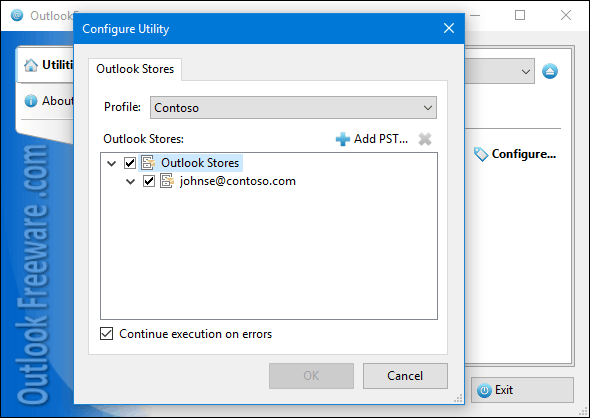 Run the tool and wait until it finishes:
![Settings of the 'Auto-Complete Lists Report' utility]() The utility will show the information about Outlook AutoComplete lists:
![Results of the 'Auto-Complete Lists Report' utility]()
See also:
Please note that 180 free utilities and add-ins for Outlook available on our website. They are all created for the needs of our users. Using these utilities, you can speed up Outlook, improve your productivity and solve many problems.
|
|